 freecrmdemo.com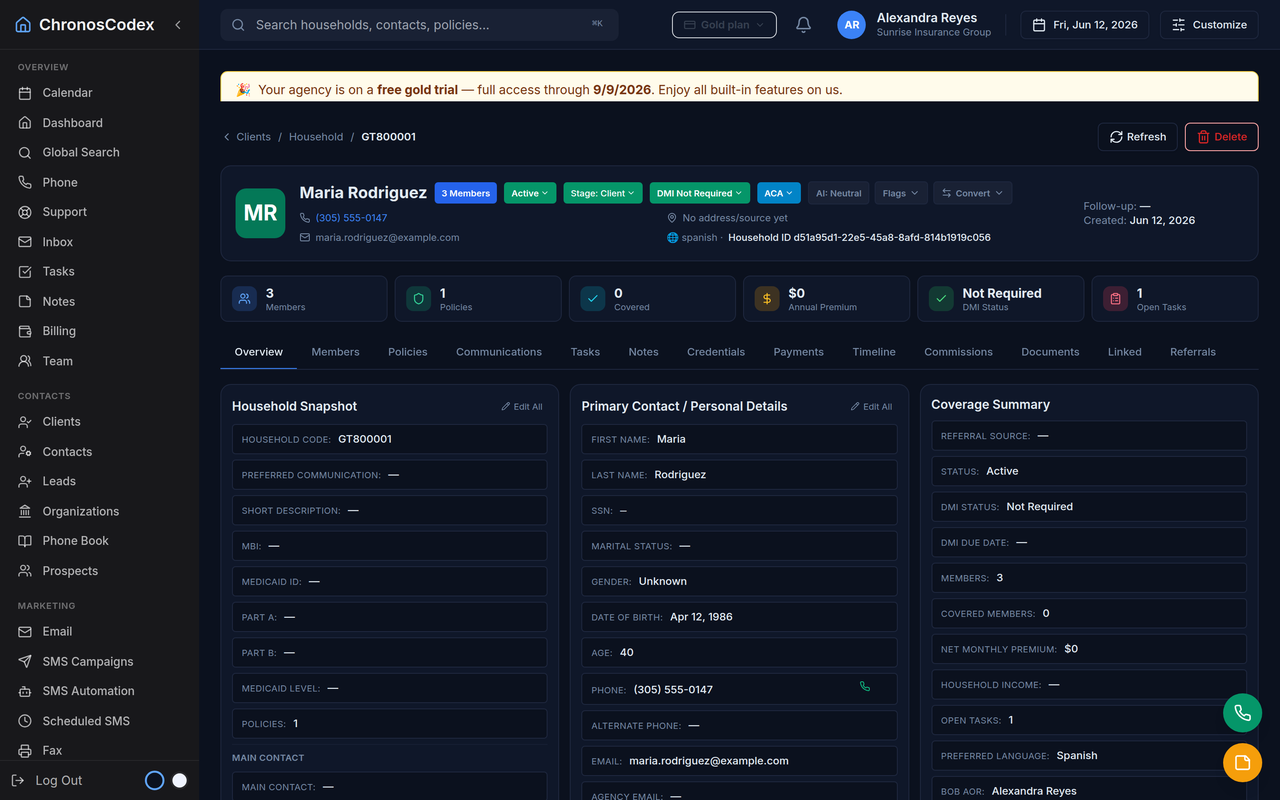
The CRM demo checklist
Before you judge any CRM demo as an insurance agent, confirm you can actually see each of these. If the demo can't show it, ask the vendor to show it live before you commit; a demo that skips a step is a question, not proof.
- Household records — a parent record that groups a family, not just isolated contacts.
- Members & dependents — spouse and children under one household, each with their own details.
- Policy tracking — carrier, plan, effective date, and renewal on the record.
- Call / SMS / email timeline — every conversation in one place on the record.
- Documents — ID cards, consent forms, and applications attached to the household.
- Follow-up tasks — DMI, renewals, and callbacks as a daily queue.
- Import path — a realistic way to bring your existing book in.
- Plan limits you can read — clear caps and pricing, not "contact sales".
- Communications setup — how phone and SMS actually get connected.
- Bilingual support — English/Spanish where your clients need it.
Red flags in generic CRM demos
- Only flat contacts. No household or family grouping — you'll re-key spouses and dependents forever.
- "Build it yourself" insurance fields. Policies, carriers, and AOR only exist if you configure custom objects.
- Communications live elsewhere. Calls and SMS need a paid third-party bolt-on to touch the record.
- No visible import path. The demo never shows how your real book gets in.
- Hidden pricing / vague limits. "Contact sales" instead of caps you can plan around.
- Polished but empty. Beautiful UI with sample data that looks nothing like an agent's day.
What an insurance CRM demo should show
The record is a family, with members, dependents, and policies attached.
Carrier, plan, effective date, and renewals built in — not custom objects.
Calls, SMS, and email on the household without a separate app.
English/Spanish, with clear communications configuration.
Generic CRM vs insurance-ready CRM
| Capability | Generic CRM demo | Insurance-ready CRM demo |
|---|---|---|
| Core record | Contact / company | Household with members |
| Policies & carriers | Custom fields to build | Built in |
| Renewals & DMI | Manual reminders | Task queues |
| Calls / SMS / email | Third-party add-ons | On the record |
| Book import | DIY spreadsheet mapping | Guided import path |
| Pricing / limits | Often "contact sales" | Clear plans & caps |
Capabilities vary by product and change over time; verify each vendor's current demo.
Rate a CRM demo — interactive scorecard
This is your checklist, not our score. Tick only what the demo you are evaluating actually showed you; the tool counts the items and describes what that coverage usually means. It runs entirely in your browser.
A generic CRM covers the basics; an insurance-ready CRM covers the whole book; an agency operating system runs the office.
Frequently asked questions
What should an insurance agent test in a CRM demo?
Household records with members and dependents, policy and carrier tracking, calls, SMS, and email on one timeline, documents, follow-up tasks, an import path for your book, plan limits, communications setup, and bilingual support. If a demo can't show these, it is a generic CRM, not an insurance CRM.
What are red flags in a generic CRM demo?
Only flat contacts with no household model, insurance fields you have to build yourself, communications that live in separate apps, no import path, and unclear plan limits. These signal you'll spend weeks configuring a tool that still won't fit insurance.
Where can I try an insurance-ready CRM demo for free?
chronospreview.com is a free, no-login ChronosCodex demo with sample data that shows household records, policies, and multi-channel communications. You can then open a free workspace with your own data.
Also worth testing: can the CRM build your website?
Every paid ChronosCodex plan includes the AI Web Studio — it designs a logo and a complete bilingual agency website from a short description, inside the CRM. See the walkthrough in the demo videos.